3 free previews a day · no sign-up
The AI photo editor for the fixes people actually ask for
Remove photobombers, open closed eyes, add a loved one to the family photo, bring old prints back to life — built to keep everyone looking like themselves.
- Built to keep faces the sameEach tool is tuned to change only what you ask for — no waxy “AI skin”.
- Real resultsEvery example on this site was made with the tool it's on.
- Deleted after 24 hoursWe delete our copy automatically. Your photos aren't kept in a gallery or sold.
- Try before you pay3 free previews a day, no sign-up.
Popular fixes
What people fix most
Straight from the most common requests on photo-editing forums. Every image is a real result.
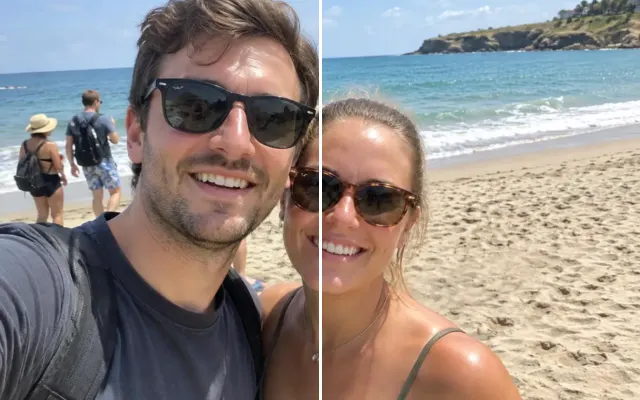 BeforeAfterRemove peopleErase photobombers, crowds or an ex.
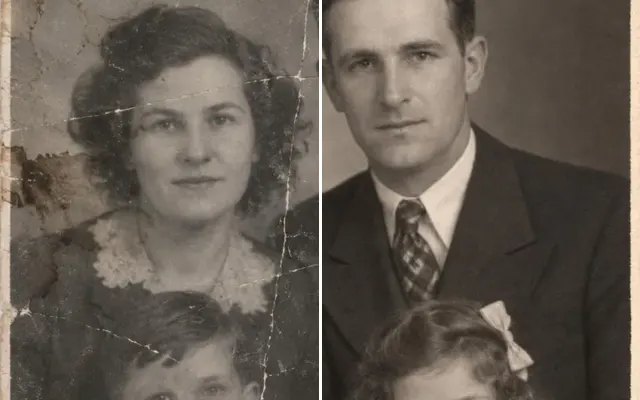 BeforeAfterRestore old photoRepair scratches, creases, tears and stains.
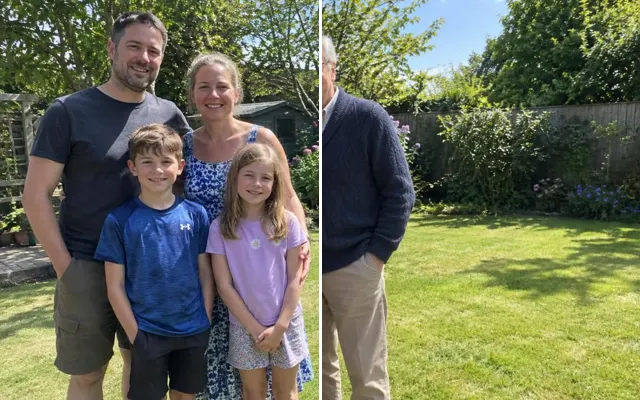 BeforeAfterAdd a personAdd someone who's missing — or who's no longer with us.
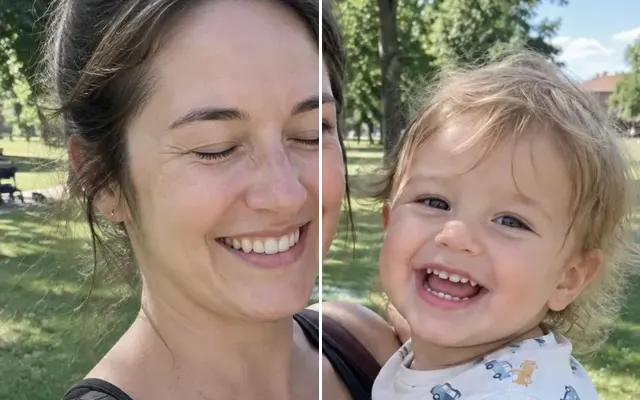 BeforeAfterFix closed eyesOpen blinking eyes so they look natural.
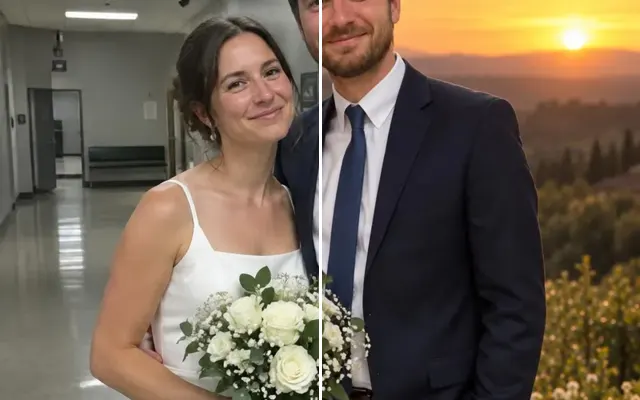 BeforeAfterChange backgroundReplace a messy or boring background.
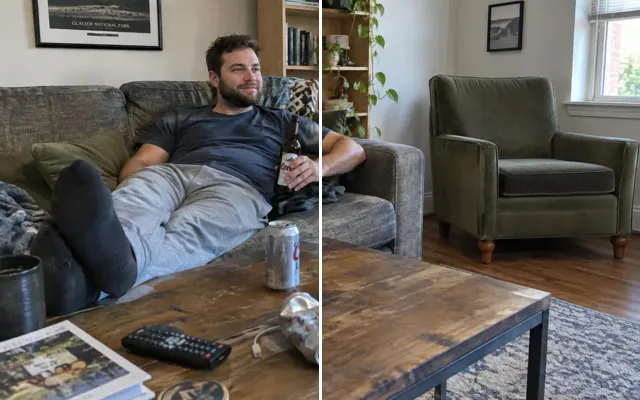 BeforeAfterRemove objectsErase wires, trash, drinks, signs and clutter.
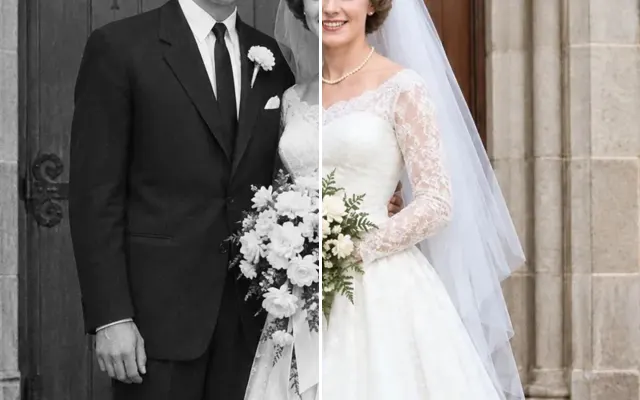 BeforeAfterColorize photoBlack-and-white to natural colour.
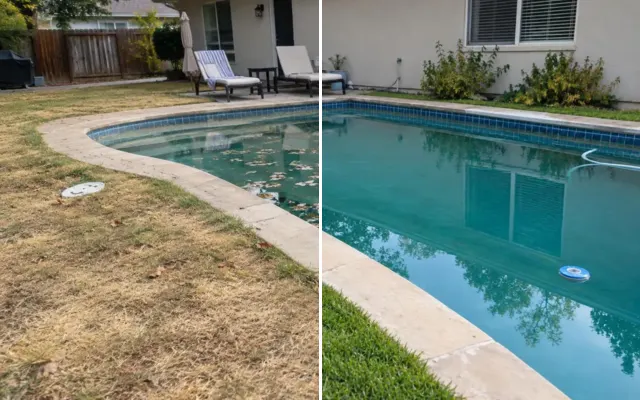 BeforeAfterCustom editDescribe any edit in your own words.
How it works
Three steps, under a minute
- 1
Upload your photo
Drop in any photo or screenshot. Pick the fix you need — or describe it in your own words.
- 2
Describe it or paint over it
Brush over what should change. Everything else keeps its original pixels whenever the result lines up with your photo.
- 3
Preview free, then download
See the result in seconds. Happy with it? Unlock that exact image in full quality.
Why Retouchly
Built for one job: fixing the photo you already have
Retouchly is an online AI photo editor with one tuned tool per fix, so there's no prompt to get right and each tool is designed to change only what you select. Here's how that compares with the other ways people get a photo fixed.
How Retouchly compares
| Criterion | Retouchly | General AI chatbot | Desktop editor | Asking on a forum |
|---|---|---|---|---|
| Faces stay the same | Usually: paint an area and the pixels around it are kept | Often drift, the whole image is redrawn | Yes, with skill | Depends on who answers |
| Time to a result | Under a minute | Minutes of re-prompting | Hours to learn, then minutes | Hours to days, if anyone replies |
| Skill needed | None: pick a tool, paint, click | Writing the right prompt | High | None |
| What it costs | Free previews, pay per download | Subscription | Subscription | Free or a tip |
| Where your photo ends up | Sent to our AI providers, our copy deleted after 24 hours | Varies by provider | Stays on your computer | Posted publicly |
Every tool
27 fixes, one editor
Your photo stays loaded when you switch tools, so you can chain edits and undo any step.
- BeforeAfterRemove peopleErase photobombers, crowds or an ex.
- BeforeAfterRemove objectsErase wires, trash, drinks, signs and clutter.
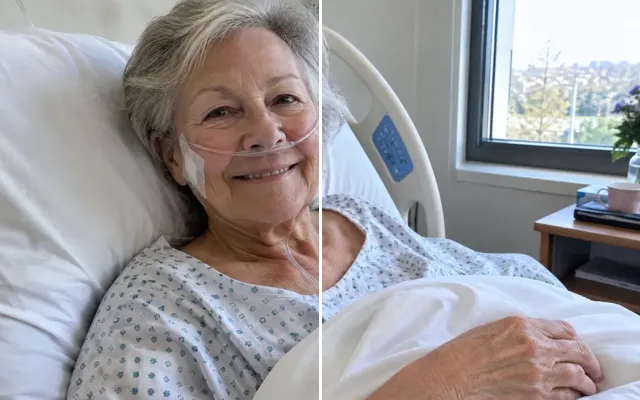 BeforeAfterRemove tubes & wiresGently remove NICU and hospital equipment.
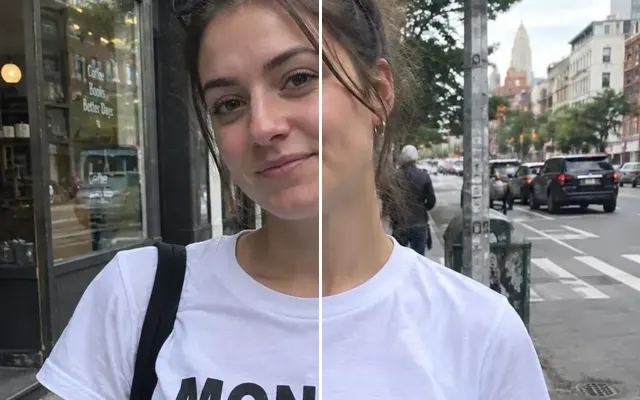 BeforeAfterRemove textErase words, dates, graffiti and stickers.
- BeforeAfterAdd a personAdd someone who's missing — or who's no longer with us.
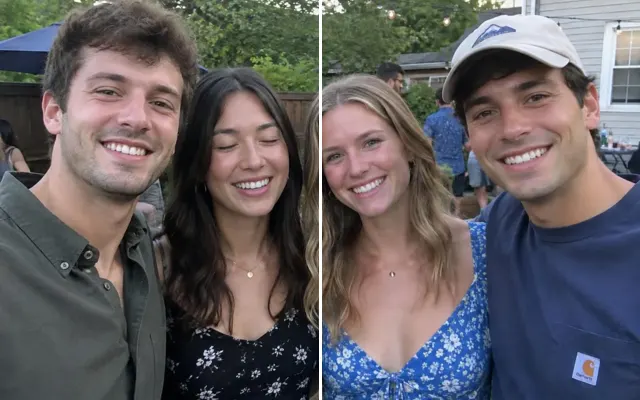 BeforeAfterCombine best shotsOne perfect group photo from several takes.
- BeforeAfterFix closed eyesOpen blinking eyes so they look natural.
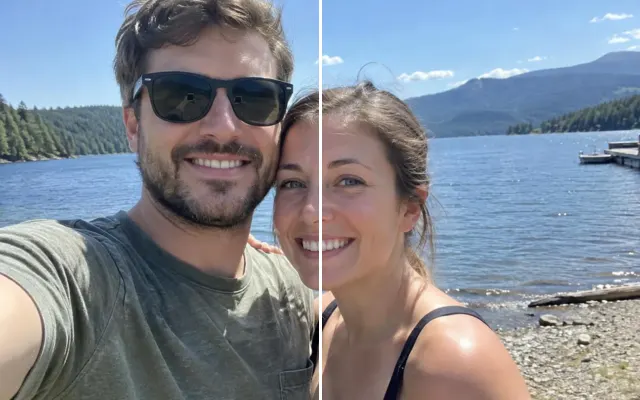 BeforeAfterSwap face or expressionUse a better face, smile or expression from another shot.
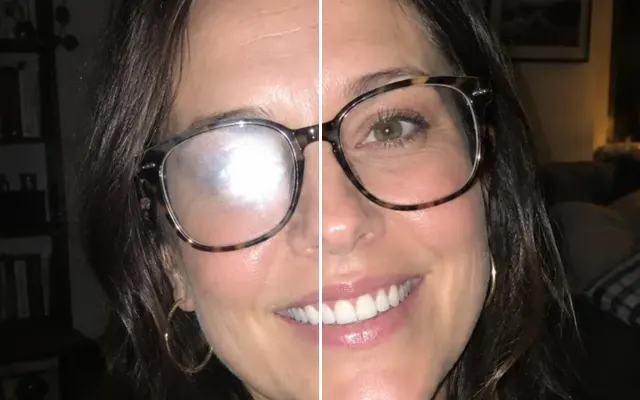 BeforeAfterFace retouchBlemishes, teeth, glasses glare — subtle and natural.
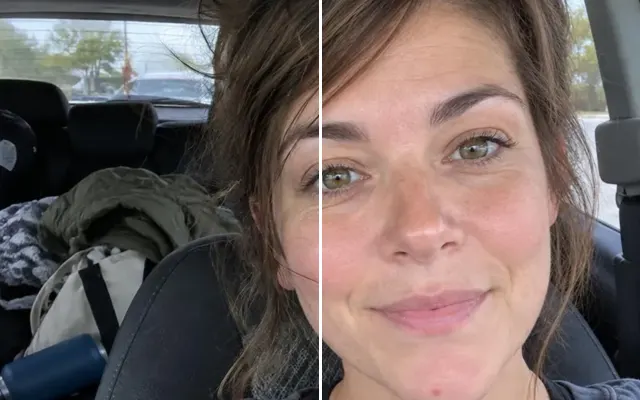 BeforeAfterFix hairTame flyaways, windblown hair and strands across the face.
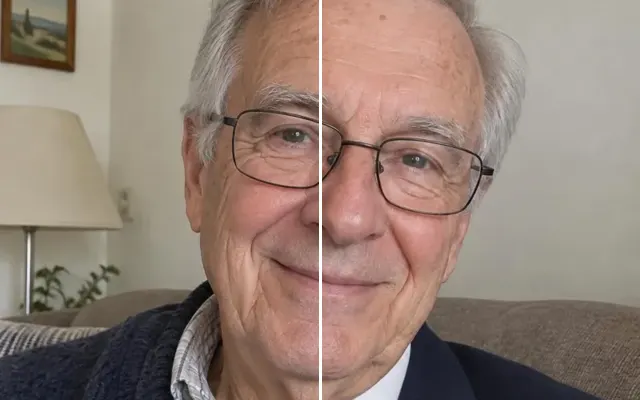 BeforeAfterChange clothingChange an outfit, fix a stain or cover up.
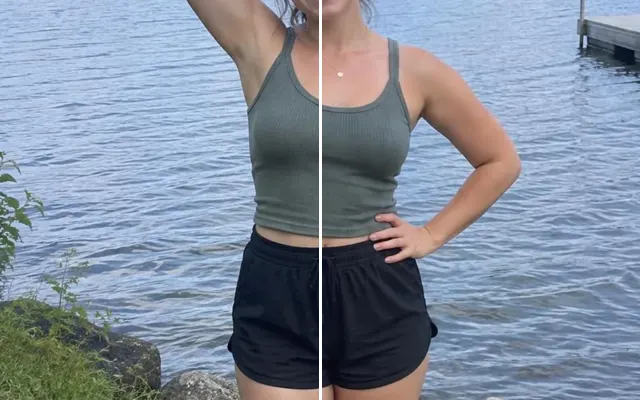 BeforeAfterPose & postureStraighten posture, fix an arm, smooth wrinkled clothes.
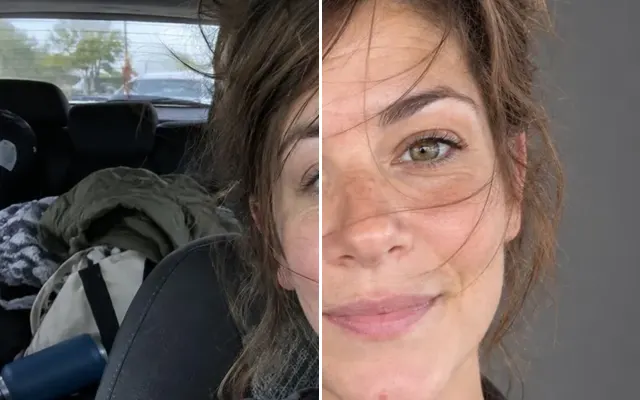 BeforeAfterProfessional headshotTurn a selfie into a LinkedIn-ready headshot.
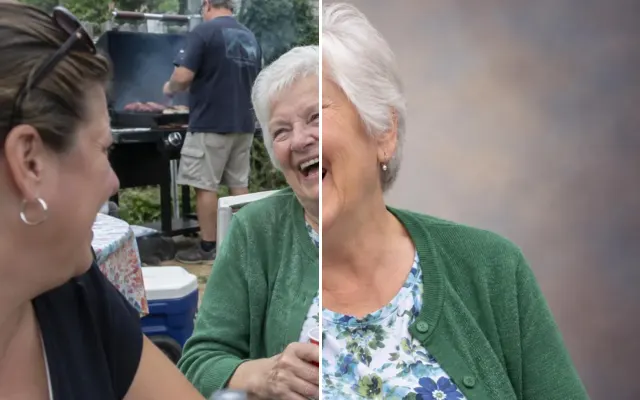 BeforeAfterMemorial portraitA dignified photo for a funeral, obituary or urn.
- BeforeAfterRestore old photoRepair scratches, creases, tears and stains.
- BeforeAfterColorize photoBlack-and-white to natural colour.
- BeforeAfterChange backgroundReplace a messy or boring background.
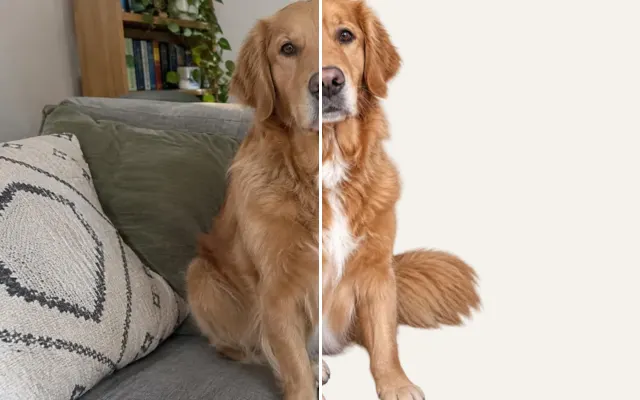 BeforeAfterRemove backgroundTransparent PNG cutout in one click.
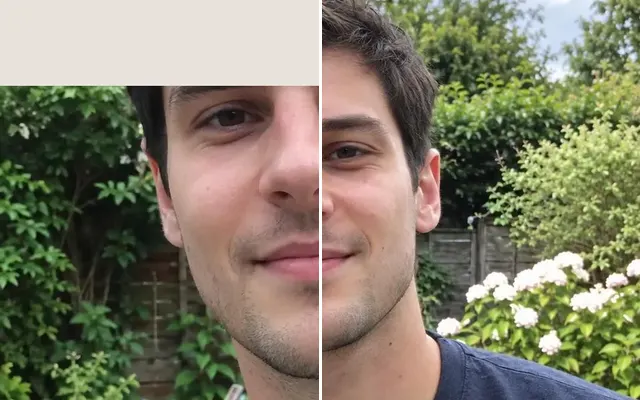 BeforeAfterExtend photoUncrop: add the cut-off head, feet or sides.
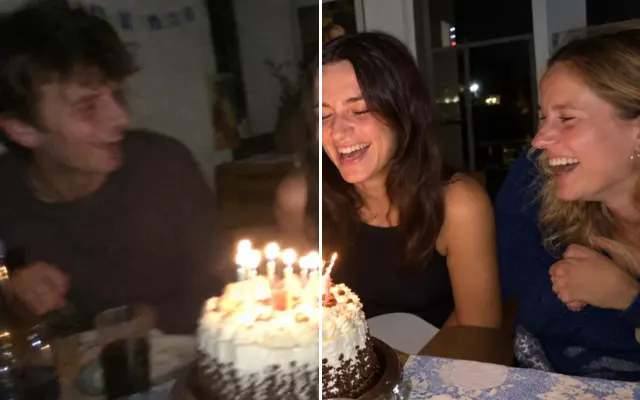 BeforeAfterUnblur & enhanceSharpen blurry, grainy photos and screenshots.
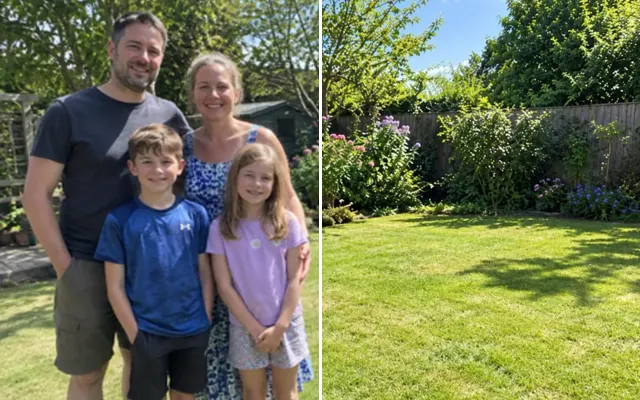 BeforeAfterUpscale2×–4× resolution for print.
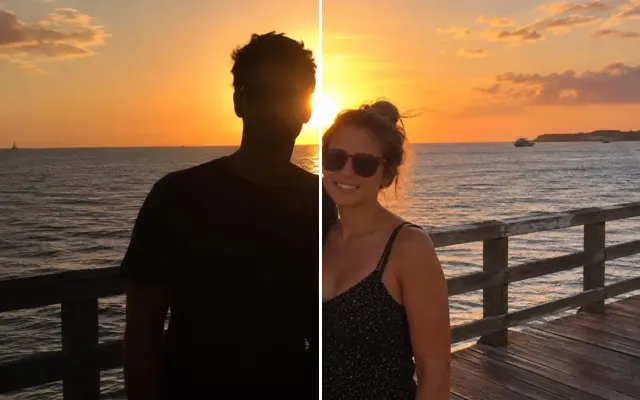 BeforeAfterFix lightingBrighten dark shots, fix backlight, remove glare.
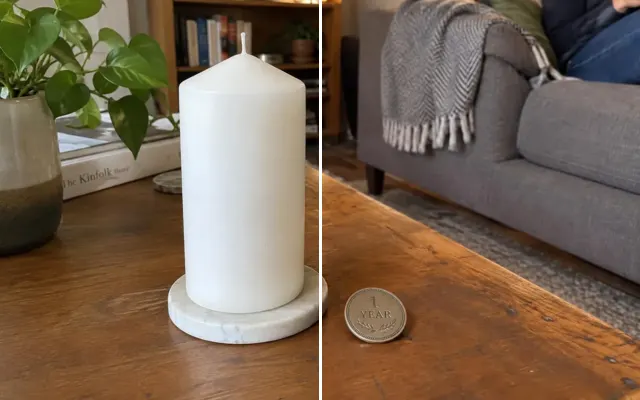 BeforeAfterAdd an objectInsert something realistic — a balloon, a flame, a sign.
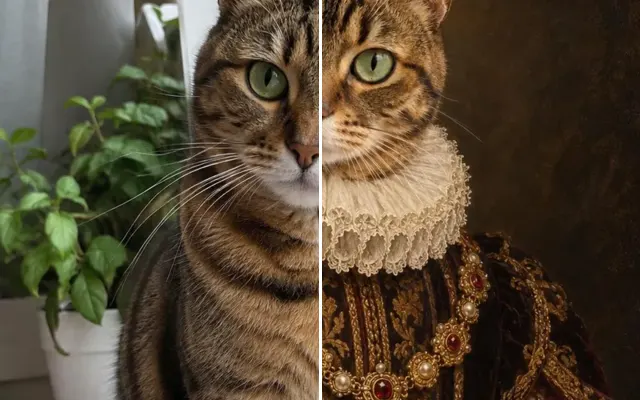 BeforeAfterPet portraitRoyal, painted or memorial portraits of your pet.
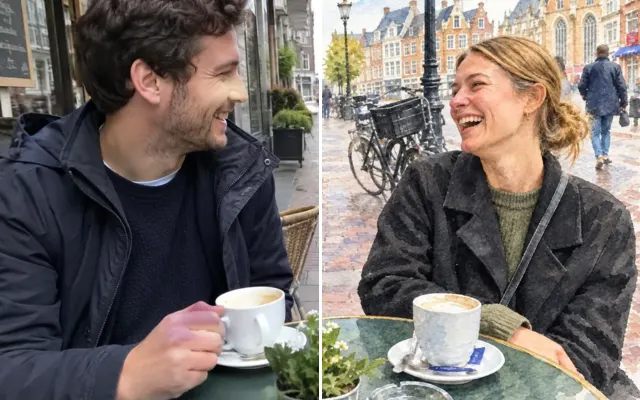 BeforeAfterArt styleOil painting, watercolour, sketch, cartoon…
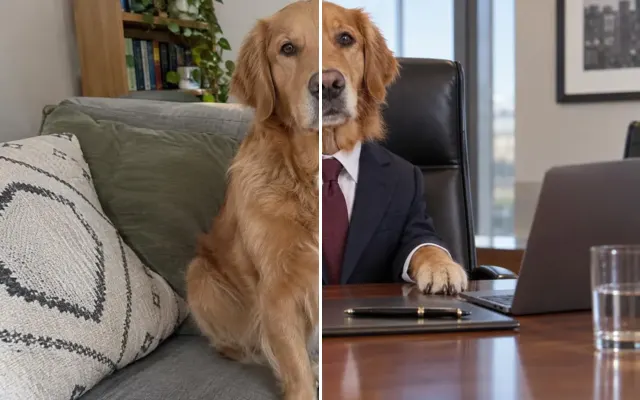 BeforeAfterFun editPut your friend on a dragon. Make the cat a CEO.
- BeforeAfterCustom editDescribe any edit in your own words.
Pricing
Free to try. Pay only for the photos you keep.
Try it
Free
No account needed
- 3 previews a day
- Every tool, every feature
- Watermarked preview
Free account
Free
Sign in with your email
- 10 previews a day
- No password — we email you a link
- Keep your edits when you buy credits
Credits
from €0.67 / download
5 for €4.99 · 15 for €9.99
- Full quality, no watermark
- Unlimited previews
- Credits never expire
You only pay to download the exact image you previewed. We delete our copy of each result after 24 hours. Larger photos are scaled down to 2048 px on the longest side before editing.
Questions
Good to know
What is Retouchly?
Retouchly is an online AI photo editor for everyday fixes: removing people and objects, opening closed eyes, adding someone who's missing, restoring and colorizing old photos, changing backgrounds and more. Each fix is its own one-click tool, so you don't write prompts, and it runs in the browser on any phone or computer.
Is it free?
Previews are free: 3 a day without an account, 10 with a free account. You only pay a credit to download the full-quality image without the watermark.
Will the people in my photo still look like themselves?
That's the aim. Each tool is tuned to change only what you ask for, and when you paint an area, everything outside the edit keeps its original pixels as long as the result lines up with your photo. If the AI had to reframe the shot, you get its full result instead, and you can compare it with your photo before you pay.
What happens to my photos?
Your upload goes to our AI providers to make the edit; we don't keep it. We keep our copy of each result for 24 hours so you can unlock and download it, then delete it automatically.
Are results labelled as AI-edited?
Yes. Every preview and download carries standard metadata saying AI made or changed it, so some apps and social networks may show an AI label. It doesn't change how the image looks.
How is this different from asking on Reddit or using ChatGPT?
You get the result in under a minute instead of waiting for a stranger, and every tool is tuned for one job — like opening closed eyes or removing a photobomber — so you don't have to write the perfect prompt.
Does it work on my phone?
Yes. Retouchly runs in the browser, so it works on iPhone, Android, tablets and computers without installing anything. You can paint over an area with your finger and download the result straight to your camera roll.
What can't I do?
No nude or sexual edits, no fake documents, IDs or receipts, nothing meant to deceive or harass, and no removing other people's watermarks.
Got a photo that's almost perfect?
Fix it in under a minute. Your first previews are free.
Upload a photo